








































 Language


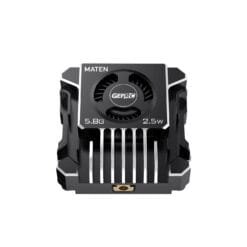


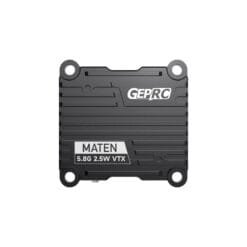
GEPRC MATEN 5.8G 2.5W VTX PRO
€64,99
This is a high-quality video transmitter with five adjustable power levels.
 1 – 2 days
In stock
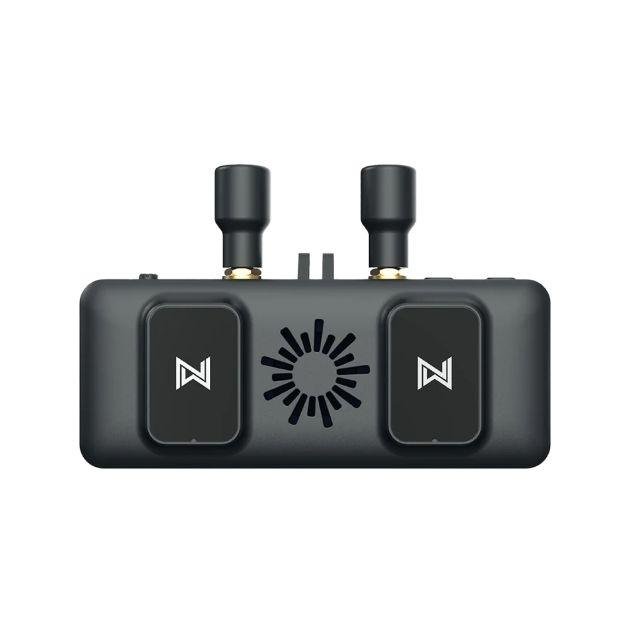
• MATEN 5.8G 2.5W VTX PRO is a high-quality video transmitter with five adjustable power levels and dual-core design. It reaches up to 2500mW output power, ensuring stable signal transmission and excellent bandwidth;
• Made of durable CNC aluminum alloy body, MATEN 5.8G 2.5W VTX PRO ensures effective heat dissipation and shock resistance. The compact design is complemented by a cooling fan, and the built-in microphone allows real-time audio transmission from the FPV drone;
• The device has a temperature control and overheating protection function. The following dimensions are suitable for installation: 20×20 mm and 30.5×30.5 mm.
Features:
• Five adjustable power levels, up to 2500 mW;
• High quality CNC machined aluminum alloy body;
• Integrated micro fan for active cooling;
• Wide voltage input: supports 7V–36V;
• One control button, three indicator lights – convenient to operate;
• VTX control protocol – IRC Tramp, supports parameter adjustment via OSD;
• Temperature control protection against overheating;
• Integrated microphone – transmits drone sound in real time;
• 72 transmission channels supported;
• Mounting holes: 20×20 mm (M2) and 30.5×30.5 mm (M2).
Specification:
• Model: GEPRC MATEN 5.8G 2.5W VTX PRO;
• Size: 36.3 × 36.3 × 15.1 mm;
• Mounting holes: 20×20 mm (M2), 30.5×30.5 mm (M2);
• Output power: 25 mW / 200 mW / 600 mW / 1600 mW / 2500 mW / Pit mode;
• Frequency: 5.8G;
• Channels: 72CH;
• Input voltage: DC 7-36V (2-8S battery);
• Output voltage: 5V @ 600mA;
• Protocol: IRC Tramp;
• Antenna connector: MMCX;
• Wiring connector: SH1.0 6pin;
• Video format: PAL/NTSC;
• Microphone: built-in microphone;
• Weight: 20 g.

• Channel light: blue;
• Band light – frequency band light: green;
• Power light: red;
• Switch – switch.
1. Press and hold the button for 2 seconds, the blue light will start flashing, entering the frequency adjustment mode. You can switch frequency points by pressing it quickly.

2. After switching frequency points, within five seconds, press and hold the button again for 2 seconds - the green light will light up, entering the frequency band adjustment mode. You can switch bands by pressing it quickly.

3. After switching the band, within five seconds, press and hold the button again for 2 seconds - the red light starts flashing, entering the power adjustment mode. You can adjust the power by pressing it quickly.

Notes:
• Always connect the antenna before use;
• It is essential to fly with constant airflow and good ventilation to avoid overheating; in enclosed environments, use an additional cooling fan;
• The 5V output is only for the camera or cooling fan! Never connect a battery to the 5V output - this may damage the VTX.
Package:
1× MATEN 5.8G 2.5W VTX PRO;
1× MMCX copper tube antenna;
1× MMCX to RP-SMA connector;
1× SH1.0 6P connecting cable;
6× M2*5 screws;
4× M2*12 screws.
Only logged in customers who have purchased this product may leave a review.
Related products
-8%
Original price was: €379.99.€349,99Current price is: €349.99.

 Aircraft
 Control equipment
 FPV equipment
 Electronics
 Frames
 Propellers
 Batteries and chargers
 Tools and accessories
 Gift vouchers
Reviews
There are no reviews yet.